You just finished a long shift in your home office near Miami, or you wrapped up a gaming marathon in your Orlando apartment. You take off your expensive headset, and you are faced with the same old problem: where do you put it? Draping it over your monitor risks scratching the screen. Tossing it on the desk invites spills and cable tangles. Leaving it on the floor is a disaster waiting to happen. You need a dedicated solution, but finding the best headset stands in Florida actually requires thinking about humidity, space, and style. This guide cuts through the noise to help you pick the perfect stand for your specific Florida setup, ensuring your gear lasts longer and your desk stays cleaner.
Why is a headset stand essential for Florida residents?
Floridians face a unique enemy that gamers in drier climates do not: humidity. A headset stand is not just about organization; it is a protective measure against environmental damage. By lifting your headset off the desk, you allow air to circulate, preventing moisture buildup that can degrade ear pads and headbands over time.
Protecting against humidity and heat
High humidity can cause leather or faux leather ear pads to peel, crack, or develop mold. A stand with an open design or a metal construction allows your headset to breathe. This airflow is critical in Florida, where indoor humidity levels often sit above 60%. Wooden stands can warp, while plastic might become brittle. Aluminum or powder-coated steel stands are your best bet for longevity in this climate.
Preventing cable damage and desk clutter
Florida homes often have compact office setups to maximize space. A cluttered desk is distracting and risks your headset cable getting caught on a drawer handle. A proper stand organizes the cable and keeps it off the surface. This simple step prevents accidental yanks that can ruin internal wiring.
Extending the lifespan of your investment
High-quality gaming or professional headsets are investments. The padding compresses when left flat on a desk. A stand relieves this pressure, maintaining the structural integrity of the headband and the plushness of the ear cups. This is especially important for heavy wireless headsets that already put strain on the headband joint.
What features should you look for in a desk headset holder?
Not all stands are created equal. The best stand for you depends entirely on your specific headset model and your desk setup. You need to consider stability, weight capacity, and material durability before making a purchase.
Weight capacity and stability
Gaming headsets like the SteelSeries Arctis Nova Pro or the Razer BlackShark V2 are heavy, often exceeding 350 grams. A lightweight plastic stand might tip over if you bump your desk. Look for stands with a wide, weighted base or a clamp-on design. A stable stand prevents your expensive headset from crashing to the floor.
Cable management integration
A great stand does more than just hold the headset. It should route the cable neatly. Many modern stands feature a built-in cable clip or a channel underneath the base. This feature is invaluable for wired headsets, keeping the cable from snagging on your mouse pad or keyboard.
Material and build quality
You will be touching this stand daily. Cheap, thin plastic feels terrible and breaks easily. Machined aluminum or heavy-duty ABS plastic with a matte finish offers a premium feel. For Florida residents, avoid raw steel that can rust in the humidity. Look for anodized aluminum or coated metals.
Which types of headset stands work best for different workspaces?
Your desk size and layout dictate which form factor works best. A standard vertical hook stand is the most common, but it might not fit under a low shelf. A clamp-on arm might be better for a floating desk. Understanding the options prevents a wasted purchase.
Vertical hook stands
These are the classic “hook” shape that hangs the headset by the headband. They are simple, affordable, and take up very little desk space. They work well for most headsets, but ensure the hook is wide enough to accommodate your headband without creasing the padding.
Under-desk mounting stands
Perfect for tight workspaces. These mount to the underside of your desk, keeping the headset completely out of sight. They are excellent for minimalist setups. However, you need a thin enough desk edge to accommodate the clamp. They also require you to reach under the desk to grab your headset, which is a minor inconvenience.
Base stands with charging features
For wireless headset users, a stand with a built-in wireless charging pad or a USB-C dock is a game-changer. You never have to worry about a dead battery. Simply place the headset on the stand, and it charges automatically. This is a premium feature but incredibly convenient for daily use.
How do you match a headset stand to your specific headset model?
One size rarely fits all. A huge, bulky gaming headset with a thick headband won’t sit properly on a thin, minimalist hook. Similarly, a delicate on-ear office headset might warp on a wide, aggressive gamer stand. You must match the physical design.
Designed for lightweight office headsets
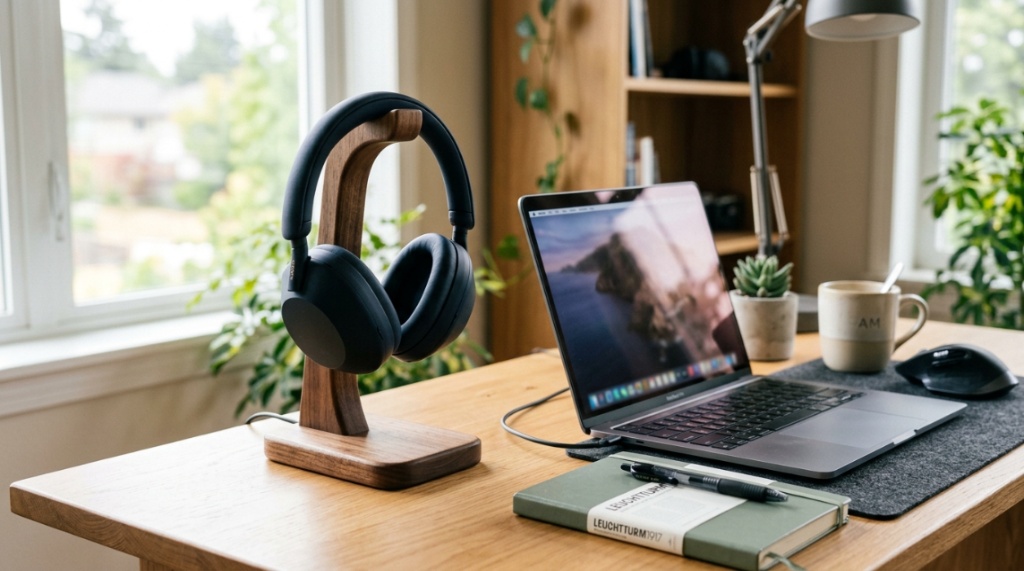
Headsets like the Jabra Evolve2 or Poly Voyager Focus are slim. They need a stand with a narrow, padded hook to prevent the headband from sagging. A heavy, wide hook can stretch out the thin padding. Look for a minimalist design that supports the band without pressure points.
Designed for heavy gaming headsets
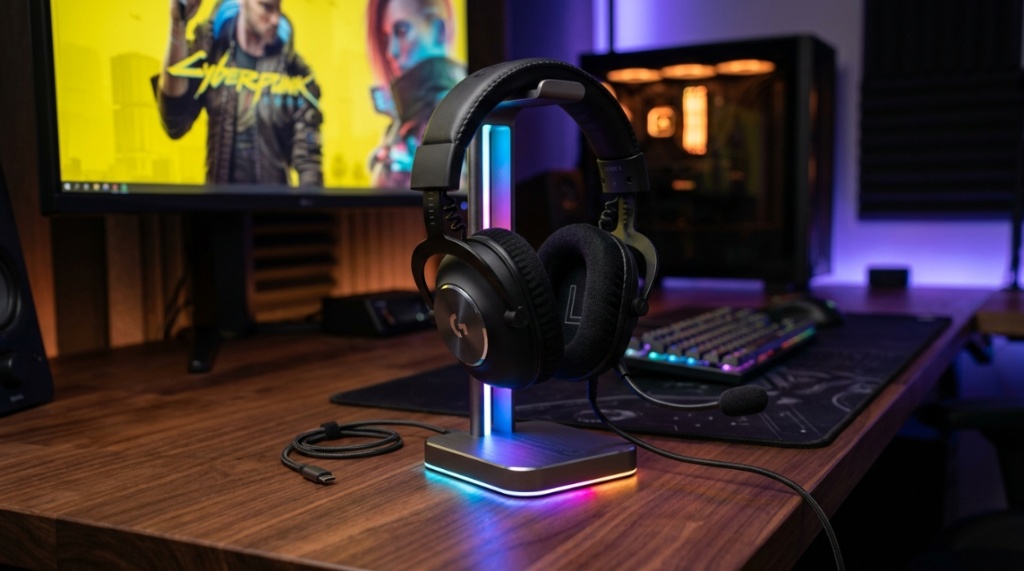
Gaming headsets with RGB lighting and thick leatherette ear cups need a robust platform. A stand with a solid base and a wide cradle for the headband is ideal. The Razer Kraken or Logitech G Pro X need a stand that can handle their weight without tipping. Some stands even have a groove for the ear cups to rest in.
Designed for Bluetooth and wireless models
Wireless headsets often have a charging port on the bottom of the ear cup. A standard hook stand might block this port. You need a stand that allows the headset to hang naturally while still giving you access to the USB-C port, or a stand that has a dedicated charging dock built in.
Where can you find durable and affordable stands locally?
If you want to see the stand in person before buying, Florida offers several retail options. However, stock can vary significantly, and local stores often carry a limited selection of budget options. Knowing where to look saves you time driving around town.
Best Buy locations in major cities
Best Buy is the most reliable brick-and-mortar option. Stores in Miami, Tampa, Jacksonville, and Orlando typically carry a selection from brands like Corsair, Razer, and SteelSeries. You can test the stability and feel the material. Check their online inventory before visiting, as store stock can be inconsistent.
Local electronics and gaming shops
Independent game stores or electronics repair shops sometimes carry unique, high-quality stands. These shops often stock items from smaller, specialized brands that offer better build quality for the price. You also get personalized advice from staff who understand the local humidity challenges.
Office supply stores
Stores like Office Depot or Staples carry more utilitarian stands. These are perfect for professional office headsets. They prioritize cable management and a clean look over RGB lighting. They are often made of plastic but are very affordable, usually under $20.
How do you properly maintain and clean your headset stand?
A dirty stand can transfer grime and bacteria back to your headset. In Florida’s humid environment, dust and skin oils can build up quickly, creating a breeding ground for bacteria. Regular cleaning is simple but essential for hygiene.
Weekly dust removal
Use a microfiber cloth to wipe down the stand every week. Pay special attention to the hook or cradle where the headband rests. Dust and dead skin cells accumulate there. A quick wipe prevents a greasy buildup that stains your headband.
Deep cleaning for metal and plastic stands
For a deeper clean, use a slightly damp cloth with a drop of mild dish soap. Avoid harsh chemicals like alcohol or bleach, which can eat away at the finish or the rubber padding. Dry the stand immediately to prevent water spots or rust, especially on metal components.
Preventing rust and corrosion
If you live near the coast, salt air can accelerate rust. Wipe your stand down with a dry cloth daily. Consider applying a thin layer of automotive wax to metal stands to create a barrier against moisture. This simple step can add years to the life of your stand.
Can you DIY a headset stand for your Florida desk?
If you are on a tight budget or just feeling creative, you can easily build a functional headset stand using common household items. A DIY solution is surprisingly effective and offers a unique, personalized touch to your workspace, Before mounting your new gear, make sure you have the right audio drivers to match your setup by checking out our guide on Top 10 Headphones for Every Budget and Use.
Using a banana stand
A banana stand, like the ones used in kitchens, is actually a perfect alternative. It has a heavy base and a curved hook that fits most headbands perfectly. You can find a stainless steel banana stand at a local kitchen supply store for under $10. It resists rust and looks sleek.
Repurposing a coat hook
If you have a vertical surface on your desk, like a monitor stand or a shelf, you can attach a strong adhesive coat hook. Use a heavy-duty 3M hook rated for 5-10 pounds. Stick it to the side or underside of the surface. This keeps the headset off your desk and uses zero footprint space.
Building a wooden block stand
Visit a local hardware store and buy a small block of wood (like oak or walnut) and a wooden dowel. Drill a hole in the block, insert the dowel, and glue it. Sand it smooth and apply a coat of varnish to protect against humidity. It is a rugged, stable, and very affordable stand.
How do you compare the top brands available in the market?
Knowing the brand reputation helps you filter out the junk. Some brands are known for plastic, fragile stands, while others build tanks. Understanding the feel of a brand can tell you more than a spec sheet. This is crucial when buying online without touching the product first.
Corsair vs. Razer
Corsair stands, like the ST100, are heavy, aluminum beasts with excellent cable management and RGB. Razer stands, like the Base Station V2, are also heavy but focus more on a futuristic aesthetic and Chroma lighting. Both are premium, but Corsair generally provides better cable routing channels.
Logitech G vs. SteelSeries
Logitech G stands are often part of a larger ecosystem (like the G560 speakers). They are functional but can be plastic-heavy. SteelSeries stands are more minimalist and utilitarian, focusing on function over flash. They often have a wider hook to accommodate larger headsets.
Budget-friendly options
Brands like MoKo and Avantree make surprisingly good budget stands. are usually made of sturdy plastic with a weighted base. lack RGB and premium materials but are very stable and reliable for the price. are excellent for a secondary setup or a child’s gaming desk.
Is a weighted stand better than a clamp-on stand for stability?
The debate between weighted and clamp-on stands comes down to your specific desk situation. A weighted stand is simpler to set up, but it takes up valuable desk real estate. A clamp-on stand saves space but requires a proper mounting surface. Both can be equally stable when chosen correctly.
Benefits of a weighted base stand
Weighted stands are incredibly simple. You just place them on your desk and go. They are completely removable and can be moved around freely. The weight (usually 1-3 pounds) prevents them from sliding. They are best for thick wooden desks where clamps won’t fit.
Benefits of a clamp-on desk mount
Clamp-on stands attach directly to the edge of your desk. They free up all of your desktop space for your mouse and keyboard. They are extremely stable because they are physically attached to the desk. A well-mounted clamp stand will not tip over no matter how aggressively you bump the desk.
Our recommendation
For most home users with average desk space, a weighted base stand is the best combination of convenience and stability. It is easy to install and requires no permanent modification to your desk. If you have a minimalist floating desk or a very small desk, go with the clamp-on mount.
Conclusion
Finding the best headset stands Florida has to offer is not about chasing the flashiest RGB lights or the cheapest price tag. It is about choosing a stand that respects your local environment, protects your precious gear, and fits seamlessly into your workflow. You now know that humidity is your biggest enemy, and aluminum or coated steel is your best friend. You understand that a heavy gaming rig needs a different support system than a slim office headset. Whether you buy a premium Razer base station, a budget-friendly clamp, or even a DIY banana stand, the most important thing is that you use it. Stop letting your headset collect dust and risk damage on a messy desk. Pick the right stand today, and your ears—and your wallet—will thank you later.
Frequently Asked Questions
Will a headset stand work with any headset?
Most universal stands work with the vast majority of headsets. However, extremely large or heavy gaming headsets may require a wider cradle, while very slim office headsets might not sit securely on a thick hook. Always check the product dimensions.
Can a headset stand damage my headset padding?
Yes, if the hook is too narrow or made of hard plastic. Over time, it can create a permanent dent in the foam padding. Look for stands with a wide, padded or rubberized hook to distribute the weight evenly and prevent damage.
How do I clean my headset stand without damaging it?
Use a soft, slightly damp microfiber cloth with a drop of mild dish soap. Avoid alcohol, bleach, or ammonia-based cleaners. Wipe the stand dry immediately to prevent water spots, especially on metal stands in high-humidity areas.
Are wooden headset stands bad for Florida humidity?
Untreated wood can warp, crack, or grow mold in high humidity. If you prefer a wooden stand, ensure it is sealed with a high-quality polyurethane varnish or lacquer. Bamboo is more moisture-resistant than hardwoods like oak.
Is a weighted base stand better than a sticky pad stand?
Yes. Sticky pads lose their grip over time, especially in Florida’s heat and humidity. A weighted base stand (1-3 pounds) provides permanent, reliable stability without the risk of the adhesive failing and dropping your headset.
Can I use a headset stand for a wireless headset?
Absolutely. Many wireless headsets benefit from a stand with a built-in charging dock or a simple hook that allows access to the charging port. It keeps the headset charged and organized simultaneously.
What is the average price for a good-quality headset stand?
You can find a functional and decently built stand for $15 to $25. Premium stands with RGB lighting, metal construction, and charging docks typically range from $40 to $80. Avoid stands under $10, as they are often too unstable for heavy use.